 OfficeOnce
Stamp a PDF
Place a stamp or signature image on a PDF page.
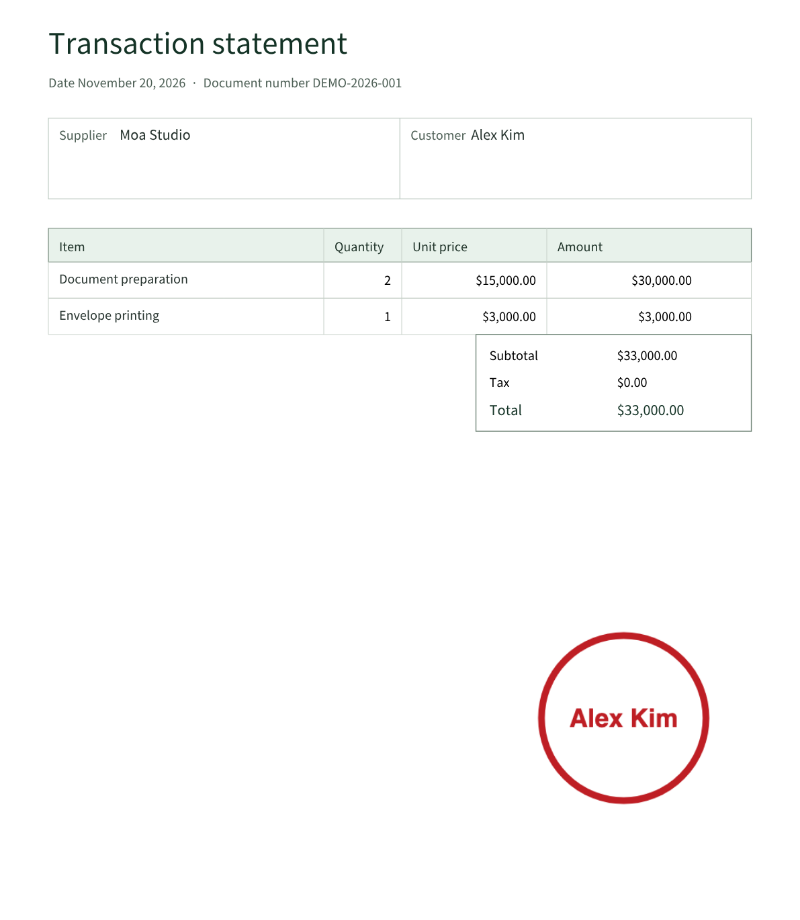
Input example
- Source PDF
- transaction.pdf · 1 page
- Stamp PNG
- Alex Kim.png
- Position
- Bottom right · 24%
Result example
How to use
How it works
- Choose one unencrypted PDF and one PNG or JPEG stamp.
- Choose a page and adjust position, size, and opacity.
- Apply to the current or all pages and save a new PDF.
Supported formats
- PNG
- JPEG
Good to know
- One PDF up to 25MiB and 200 pages; the image is up to 20MiB and 25 million pixels.
- The source PDF is never changed.
- Inputs and results stay in the browser; optional drafts remain on this device for 30 days.
Loading the tool. Turn on JavaScript to use the workspace.