 OfficeOnce
Quotes and transaction statements
Create quotations, transaction statements, general receipts and purchase orders as styled PDFs.
Input example
| Item | Quantity | Unit price |
|---|---|---|
| Document preparation | 2 | KRW 15,000 |
| Envelope printing | 1 | KRW 3,000 |
Result example
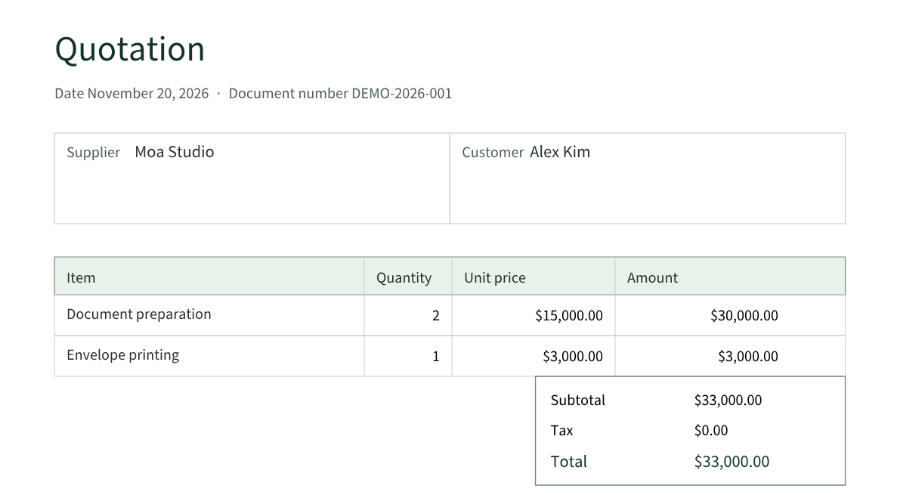
How to use
How it works
- Choose a document type, currency and paper, then enter the company, recipient and items.
- Review quantities, prices, tax, stamp and logo. Import items from CSV or XLSX if needed.
- Check the PDF preview, then save or duplicate the document.
Supported formats
- CSV
- TSV
- XLSX
- PNG
- JPEG
Good to know
- Up to 100 items, quantities with three decimal places, and 12 currencies. Currency-specific precision is used; totals are limited to one trillion major units.
- A4 and Letter are available. No exchange-rate conversion, automatic statutory tax calculation or official tax receipt issuance is provided.
- Files and inputs are not sent to a server. Optional autosave keeps originals, work and results in this browser for 30 days; you can disable or delete them.
Loading the tool. Turn on JavaScript to use the workspace.