 OfficeOnce
Print address labels
Lay out CSV content as an A4 label PDF.
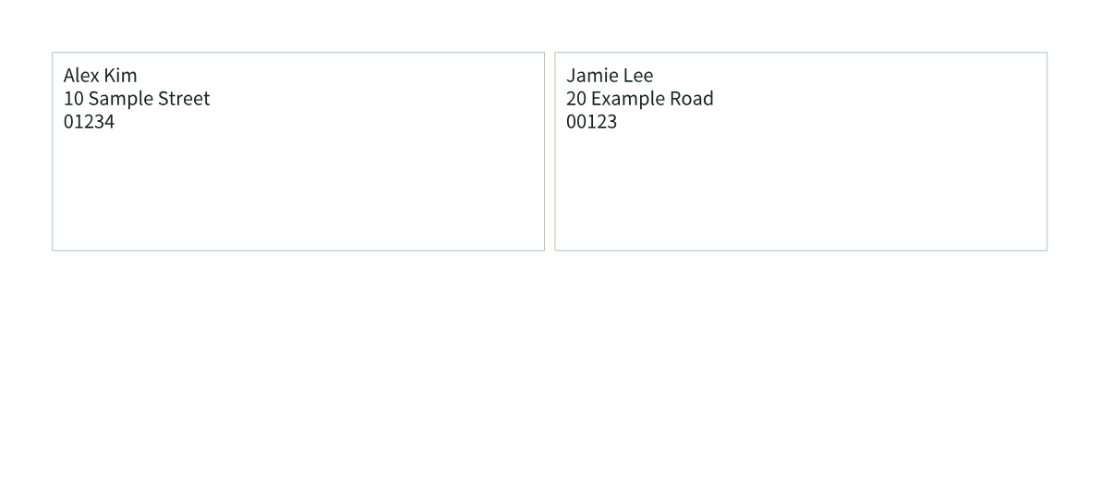
Input example
| Name | Address | Postal code |
|---|---|---|
| Alex Kim | 10 Sample Street | 01234 |
| Jamie Lee | 20 Example Road | 00123 |
Result example
How to use
How it works
- Choose a UTF-8 or EUC-KR CSV, or enter rows directly.
- Map up to three output columns and choose a design and label layout.
- Review rows and save a 100% scale A4 PDF.
Supported formats
- CSV
- PNG
Good to know
- Up to 500 rows, 100 columns, and 5MiB; postal codes remain text.
- A4 portrait supports standard 2×7, 3×8, or custom geometry.
- Text that overflows the 7pt minimum is rejected before saving.
Loading the tool. Turn on JavaScript to use the workspace.